Redbooth features
Project management features, with AI built in
Kanban boards, Gantt charts, time tracking, workload reports and HD video meetings in one tool, plus AI that summarizes tasks and works with the assistants your team already uses.
Free for up to 2 users, or try Business free for 14 days. No credit card.
What is Redbooth?
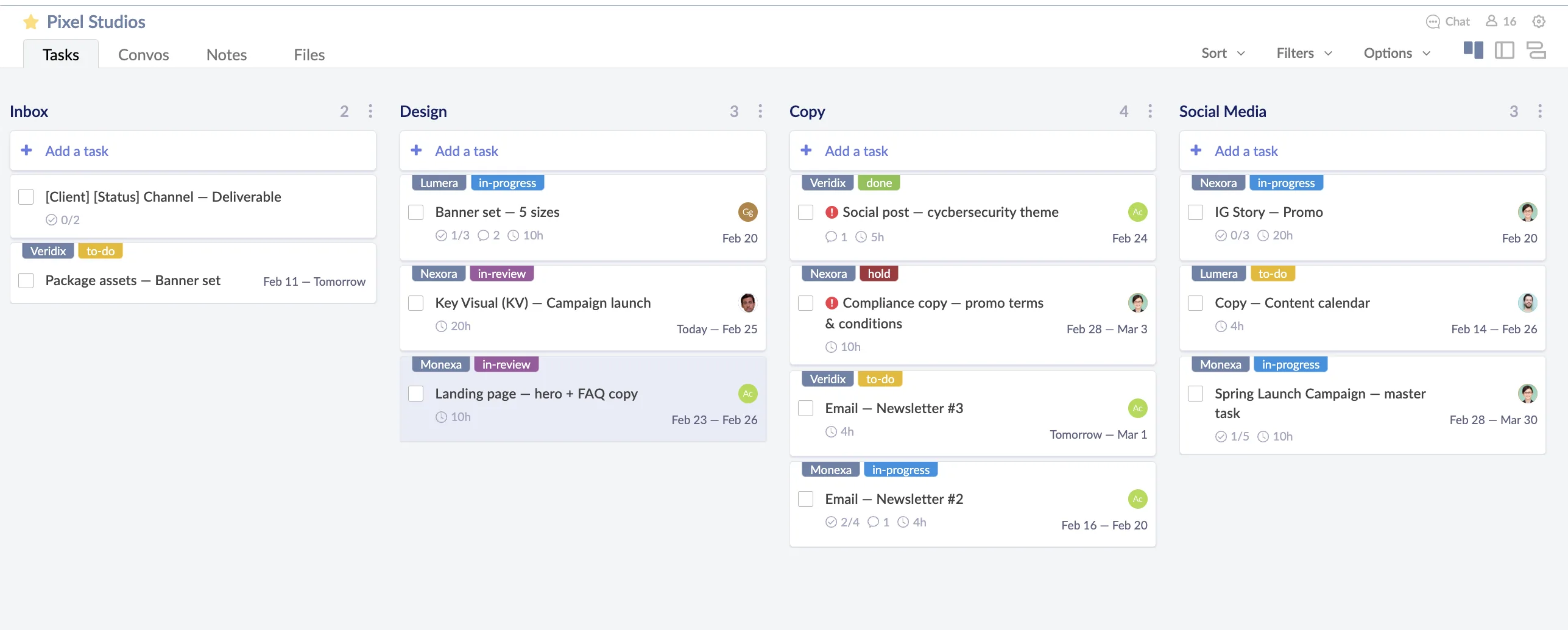
Redbooth is online project management software for teams. Tasks, Kanban boards, Gantt charts, reports, conversations and video meetings live in one place, so a project’s plan, status and discussion sit side by side. Redbooth AI handles the busywork inside tasks, and the Redbooth MCP server lets AI assistants like Claude and ChatGPT read and create tasks for you.
- Free plan
- Up to 2 users
- Paid plans from
- $9 per user / month
- billed annually
- Works on
- Web, iOS and Android
Project planning
Plan projects with Kanban boards and Gantt charts
Lay out a project as a board or a timeline. They’re the same tasks in two views, so you can switch whenever you want.
-
Kanban boards
Drag tasks between columns to show where each one stands, and customize the columns to match how your team works. On every plan, Free included. Kanban boards in Redbooth →
-
Gantt charts
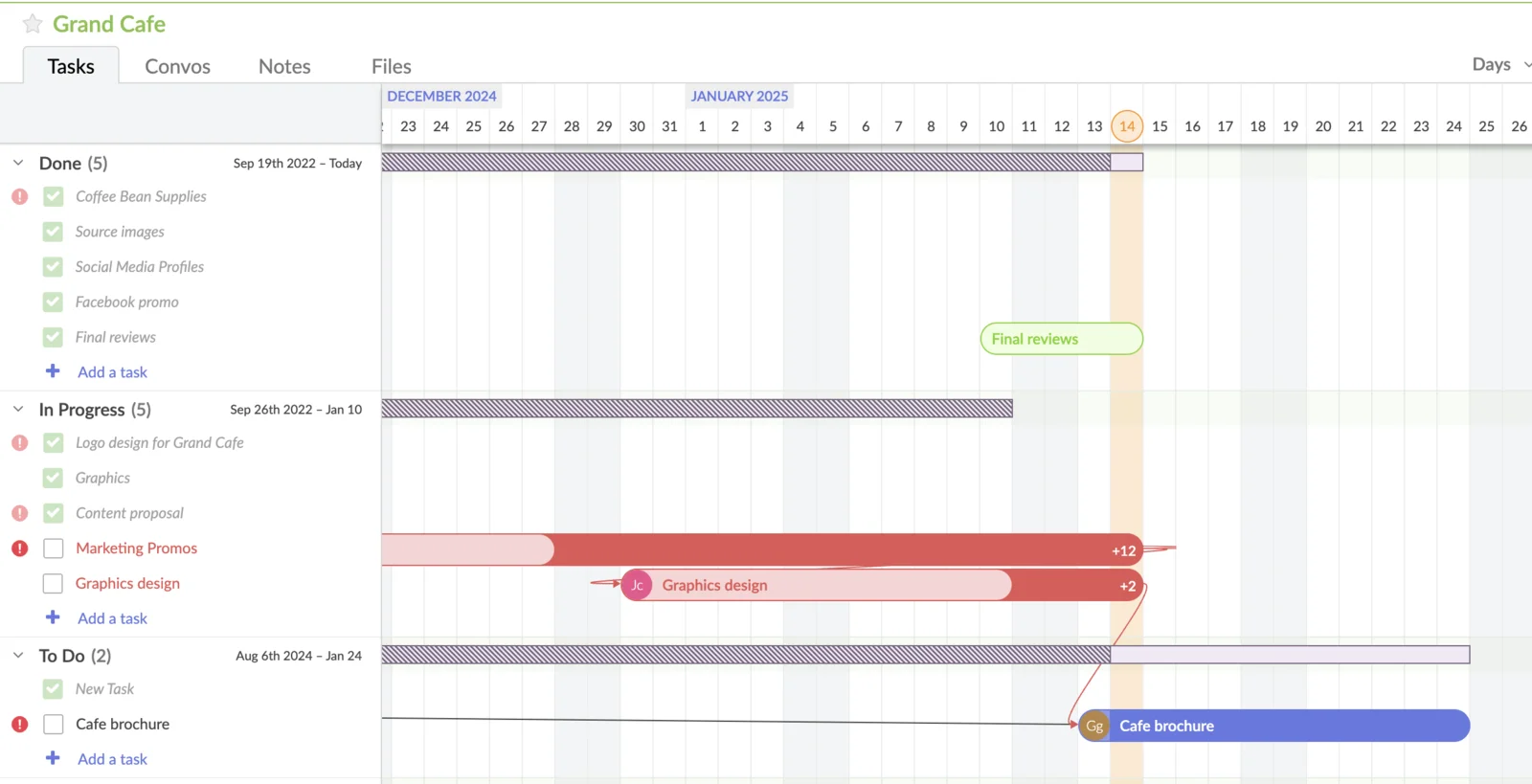
See the whole project on a timeline, drag bars to reschedule, and export the chart to share it. On every plan, Free included. Gantt charts in Redbooth →
-
Task dependencies
Pro+Link tasks so you can see what a delay pushes back before it happens.
-
Subtasks
Break a task into steps and tick them off. On Business, each subtask can have its own owner and due date.
-
Workspace templates
Start recurring projects from a structure your team already uses instead of a blank page. Project templates →
-
Project intake forms
Business+Share a web form, even embedded in your own site, and every submission arrives as a task in the list you choose. People filling it in don’t need a Redbooth account. How Web Forms work →
Task management
Know who’s doing what, by when, and how long it took
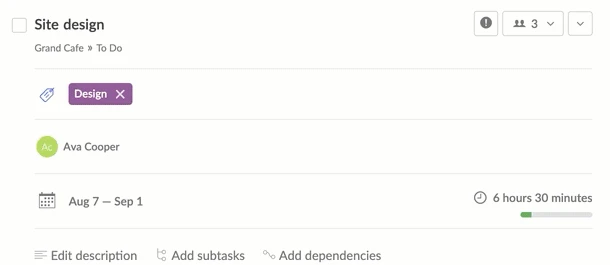
Every task has an owner, a date and a status, so nobody has to ask for an update in a meeting.
-
Dashboard
One screen with the work that’s on your plate right now, across every project.
-
Assignees and due dates
Give every task an owner and a due date or date range. Task management in Redbooth →
-
Multiple assignees
Pro+Share a task between several people when it really is a joint job.
-
Time tracking
Pro+Log time against the task it was spent on, without a separate timesheet tool. How time tracking works →
-
Time estimates
Business+Estimate tasks up front and compare the estimate with the time actually spent.
-
Tasks by email
Forward an email into a workspace and it arrives as a task.
Reporting
Reports and workload views across every project
Go from one task to everything your team is running. See what’s late, who has too much on, and where work is piling up.
-
Task overview
Every task across your workspaces in one list you can sort and filter.
-
Team calendar
Every due date on a calendar, so nothing arrives as a surprise.
-
Workload report
Pro+See how much each person has on, and rebalance before someone misses a deadline.
-
Swimlanes
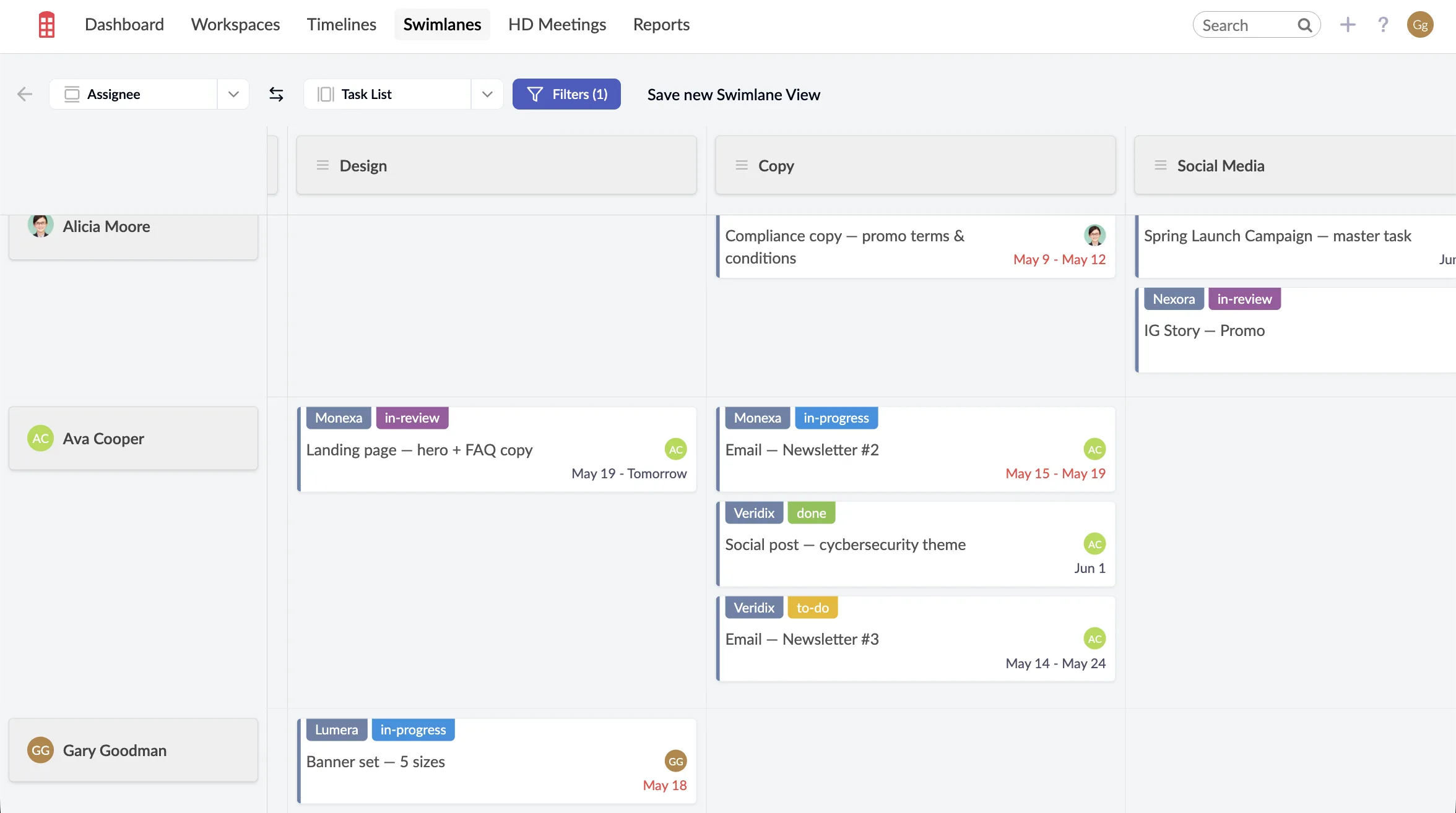
Business+Put any two fields on a grid across all your workspaces, such as people by task list or people by due date. Five swimlane views to try →
-
Workspace and user reports
Business+See the new, active and resolved tasks in any workspace, and what each person finished last week and has coming up next.
Team collaboration
Conversations, chat and video meetings next to the work
Discussions, files and meetings stay attached to the task or project they’re about, instead of getting lost in email.
-
Comments and conversations
Comment on a task, or start a threaded conversation for a whole workspace.
-
Team chat
Pro+Workspace chat and one-to-one messages for the quick back-and-forth that doesn’t belong in a task comment.
-
HD video meetings
Pro+Start a meeting from inside a task or workspace in two clicks, powered by Zoom.
-
File sharing
Attach files to the task they belong to. Storage goes from 2 GB on Free to 500 GB on Enterprise.
-
Free external users
Pro+Bring clients and contractors into a workspace without using a paid seat.
-
Public task links
Pro+Send anyone a read-only link to a single task, with no account or invitation needed. Stop sharing and the link stops working. How public links work →
-
Mobile apps
Redbooth for iOS and Android, on every plan. Get the apps →
Redbooth AI
AI project management features that do the busywork
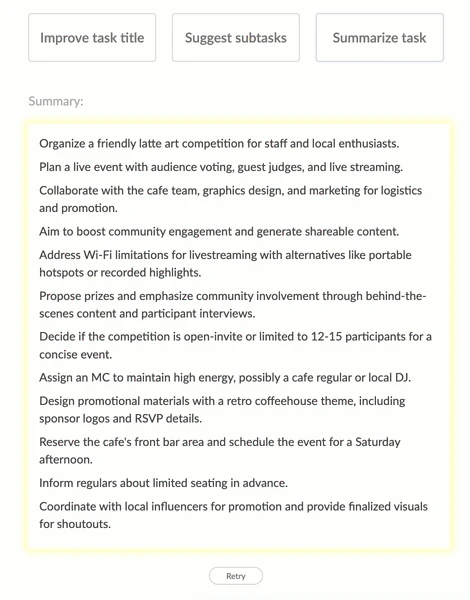
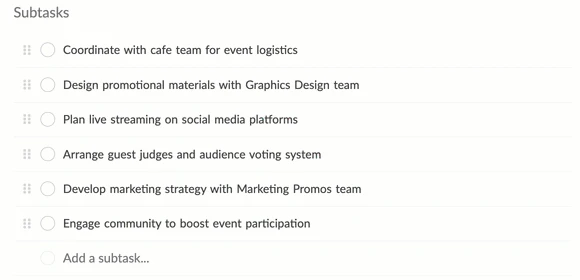
Redbooth AI works inside the tasks you already have. Open a task, choose AI Tools from its menu, and pick an action. Why we built it →
-
Task summary
Business+Reads the title, description and every comment, then tells you where the task stands: what’s decided, what’s open, what’s blocking it.
-
Subtask suggestion
Business+Turns a task into the list of steps needed to finish it, ready to review and add.
-
Task title trim
Business+Shortens run-on titles to the core action so your board stays easy to scan.
-
Assignee recommendation
Pro+Suggests who should own a new task, based on past activity.
-
Due date recommendation
Pro+Predicts a realistic completion date for a new task.
-
Step-by-step instructions are in the help center. Redbooth AI help →
Use Redbooth from ChatGPT, Claude and other AI assistants
Pro+
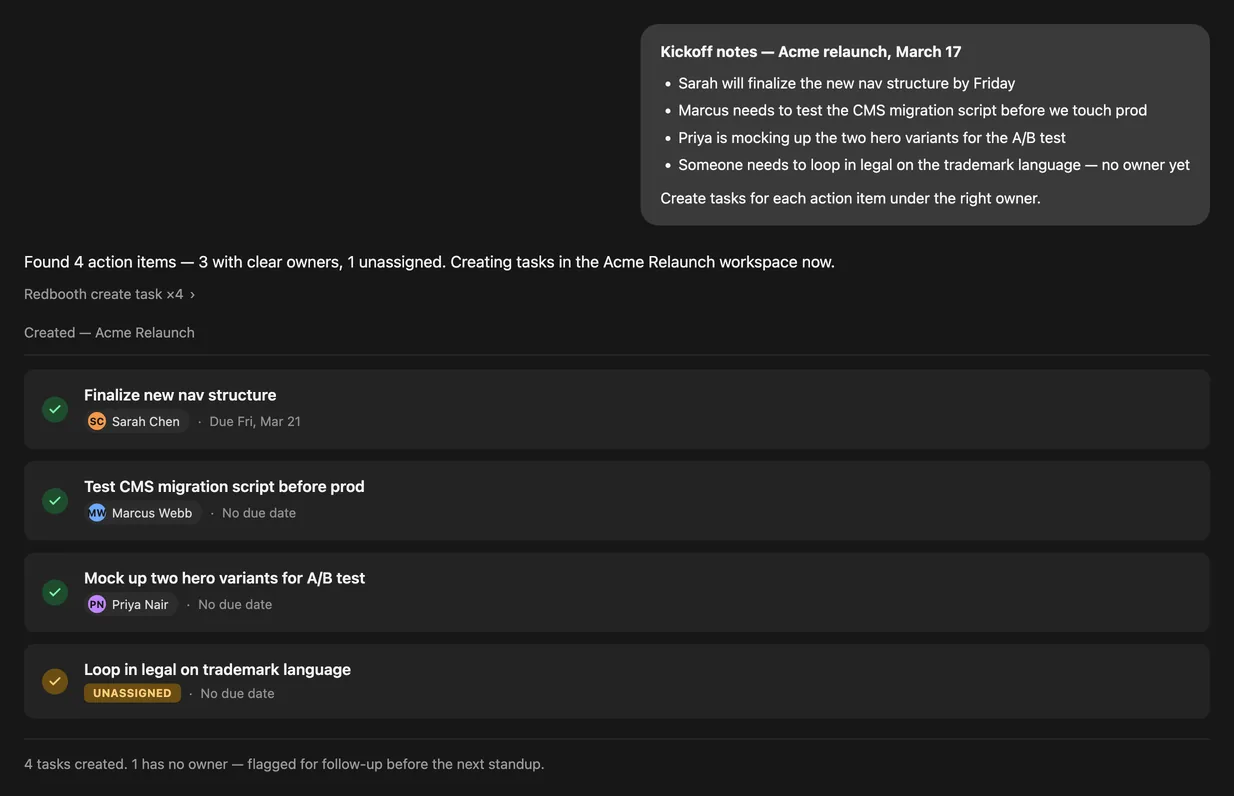
The Redbooth MCP server connects any MCP-compatible assistant to your workspaces. Ask it to create tasks from meeting notes, tell you what’s overdue, or summarize where a project stands, and it works with your live Redbooth data.
- Claude
- ChatGPT
- Perplexity
- Mistral Le Chat
- Copilot Studio
Integrations
Works with the tools you already use
-
AI assistants (MCP)
Pro+Claude, ChatGPT, Perplexity and any other MCP-compatible assistant.
-
Single sign-on (SAML)
Pro+Sign in through your identity provider: Okta, OneLogin or Shibboleth.
-
Zoom
Pro+HD video meetings from inside Redbooth.
-
Microsoft Outlook
Business+Turn an email into a Redbooth task without leaving Outlook.
-
OneDrive for Business
Business+Attach and share files straight from OneDrive.
Redbooth features by plan
Pro+ and Business+ labels on this page mean the lowest plan that includes a feature. Features without a label are on every plan.
| Feature | Free | Pro | Business | Enterprise |
|---|---|---|---|---|
| Price per user / month, billed annually | $0 | $9 | $15 | Custom |
| User limit | 2 users | Unlimited | Unlimited | Unlimited |
| Workspaces | 2 | Unlimited | Unlimited | Unlimited |
| Storage | 2 GB | 5 GB | 50 GB | 500 GB |
| Kanban board | Included in Free | Included in Pro | Included in Business | Included in Enterprise |
| Exportable Gantt charts | Included in Free | Included in Pro | Included in Business | Included in Enterprise |
| Subtasks | Included in Free | Included in Pro | Included in Business | Included in Enterprise |
| Dashboard | Included in Free | Included in Pro | Included in Business | Included in Enterprise |
| Calendar | Included in Free | Included in Pro | Included in Business | Included in Enterprise |
| Conversations | Included in Free | Included in Pro | Included in Business | Included in Enterprise |
| Tasks by email | Included in Free | Included in Pro | Included in Business | Included in Enterprise |
| Time tracking | Not included in Free | Included in Pro | Included in Business | Included in Enterprise |
| Task dependencies | Not included in Free | Included in Pro | Included in Business | Included in Enterprise |
| Multiple task assignees | Not included in Free | Included in Pro | Included in Business | Included in Enterprise |
| Tasks by user | Not included in Free | Included in Pro | Included in Business | Included in Enterprise |
| Workload | Not included in Free | Included in Pro | Included in Business | Included in Enterprise |
| HD video meetings | Not included in Free | Included in Pro | Included in Business | Included in Enterprise |
| Workspace chat | Not included in Free | Included in Pro | Included in Business | Included in Enterprise |
| Free external users | Not included in Free | Included in Pro | Included in Business | Included in Enterprise |
| Public task links | Not included in Free | Included in Pro | Included in Business | Included in Enterprise |
| Single sign-on (SAML) | Not included in Free | Included in Pro | Included in Business | Included in Enterprise |
| MCP server for AI assistants | Not included in Free | Included in Pro | Included in Business | Included in Enterprise |
| Assignee recommendation | Not included in Free | Included in Pro | Included in Business | Included in Enterprise |
| Due date recommendation | Not included in Free | Included in Pro | Included in Business | Included in Enterprise |
| Assignable subtasks | Not included in Free | Not included in Pro | Included in Business | Included in Enterprise |
| Task time estimates | Not included in Free | Not included in Pro | Included in Business | Included in Enterprise |
| Project web forms | Not included in Free | Not included in Pro | Included in Business | Included in Enterprise |
| Swimlanes | Not included in Free | Not included in Pro | Included in Business | Included in Enterprise |
| Workspace and user reports | Not included in Free | Not included in Pro | Included in Business | Included in Enterprise |
| Task summary | Not included in Free | Not included in Pro | Included in Business | Included in Enterprise |
| Subtask suggestion | Not included in Free | Not included in Pro | Included in Business | Included in Enterprise |
| Task title trim | Not included in Free | Not included in Pro | Included in Business | Included in Enterprise |
| Redbooth for Outlook add-in | Not included in Free | Not included in Pro | Included in Business | Included in Enterprise |
| OneDrive for Business integration | Not included in Free | Not included in Pro | Included in Business | Included in Enterprise |
| Phone support | Not included in Free | Not included in Pro | Not included in Business | Included in Enterprise |
Redbooth features: common questions
What is Redbooth?
Redbooth is online project management software for teams. It combines tasks, Kanban boards, Gantt charts, reports, chat and HD video meetings in one place, plus AI features and an MCP server that connects AI assistants such as Claude and ChatGPT. It runs in the browser and on iOS and Android.
Is there a free plan?
Yes. The Free plan is for up to 2 users and 2 workspaces with 2 GB of storage, with no time limit and no credit card. Kanban boards and Gantt charts are included. You can also try every Business feature free for 14 days.
Does Redbooth have Gantt charts?
Yes, on every plan including Free. You can drag tasks to reschedule them and export the chart. From the Pro plan you can also link tasks with dependencies.
Does Redbooth have time tracking?
Yes. From the Pro plan you can log time against each task. The Business plan adds time estimates, so you can compare the estimate with the time actually spent.
What AI features does Redbooth have?
Redbooth AI can summarize a task and its comments, suggest subtasks and shorten long task titles; those three are on the Business plan. Assignee and due date recommendations are included from the Pro plan.
Can I use ChatGPT or Claude with Redbooth?
Yes, from the Pro plan. Redbooth has an MCP server at https://redbooth.com/api/mcp. Add it as a custom connector in Claude, ChatGPT, Perplexity or any other MCP-compatible assistant, sign in to Redbooth to authorize it, and the assistant can read and create tasks, update statuses, add comments and summarize workspaces for you.
Can I hold video meetings in Redbooth?
Yes. From the Pro plan you can start HD video meetings, powered by Zoom, from inside a task or workspace.
Does Redbooth support single sign-on?
Yes. From the Pro plan, Redbooth supports SAML single sign-on through providers such as Okta, OneLogin and Shibboleth.
Try every Business feature free for 14 days
No credit card required. Or stay on the Free plan for up to 2 users.